
An attacker can change their IP address much faster than most security teams can update a rule.
Residential proxy services make this easy. One request might come through a home internet connection in Sydney, the next through a mobile network in Melbourne, and the next through an IP address that has never appeared on a blocklist.
If you only count requests by IP address, these can look like several unrelated visitors generating very little traffic. In reality, they may all belong to the same operator running the same attack.
It is tempting to replace the IP address with another identifier, but no single identifier works in every situation. Browser and network fingerprints, cookies, accounts, API keys and request patterns can all help connect related activity. They can also be copied, shared, cleared or changed.
The goal is not to identify a specific person. It is to recognise enough continuity to control the abusive behaviour.
Look at What Stayed the Same
When IP addresses keep changing, look for other parts of the activity that remain consistent:
- the same account or group of accounts
- repeated usernames or passwords
- the same API token, tenant or application
- similar browser or network fingerprints
- the same pages, API routes or parameters
- similar timing, retries and failures
- traffic from a narrow group of networks or countries
- repeated access to the same products, records or other resources
One signal may not mean much on its own. Several signals pointing in the same direction can provide enough evidence to limit, challenge or block the activity.
Google’s investigation into IPIDEA, for example, found residential proxy infrastructure being sold through several SDK brands and resellers. Provider names and IP addresses may change even when the underlying network remains connected.
Fingerprints Group Similar Clients
A TLS fingerprint describes the shape of a secure connection. It can show that several connections look similar, but it cannot prove they came from the same person, device or program.
This distinction matters because many legitimate users share the same browser fingerprint. Attack tools can also copy the fingerprints of popular browsers.
A fingerprint becomes more useful when combined with what the client is doing. One successful login from a common browser fingerprint is normal. The same fingerprint trying passwords against thousands of accounts through rotating residential proxies is much more significant.
You must also know where the fingerprint was captured. If your application sits behind a CDN, the connection visible at the origin may belong to the CDN rather than the visitor. Only compare fingerprints captured at equivalent, trusted points.
Build Limits Around the Behaviour
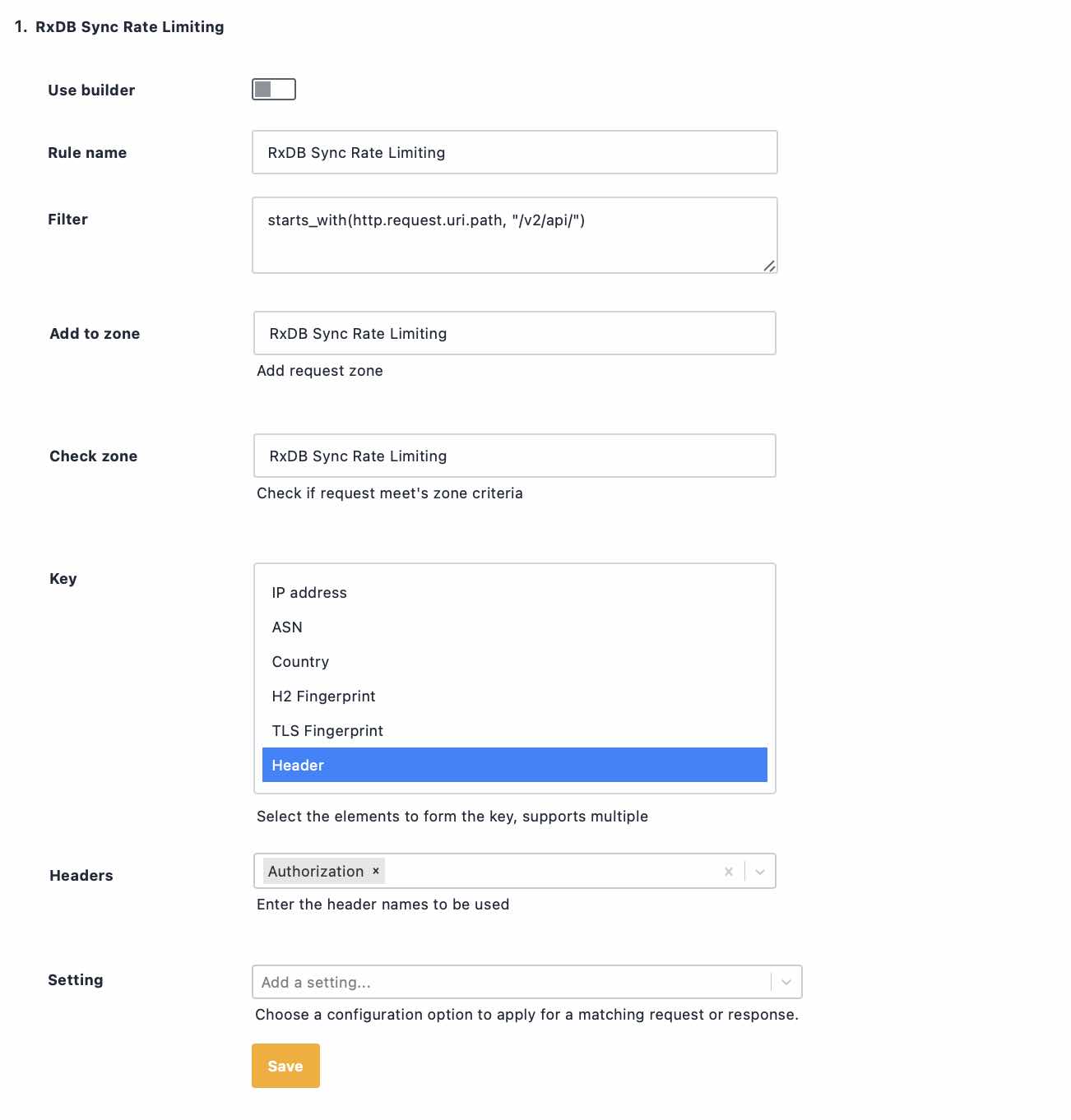
Rate limits should protect the action being abused, rather than relying on a single technical identifier.
For credential stuffing, you might count:
- failed attempts against each account
- failed logins from the same fingerprint group
- failures across many accounts with similar request patterns
For scraping, you might count:
- access to a group of related products or records
- API operations performed by the same credential
- repeated requests that create a high application cost
For fake account creation, you might count:
- sign-up attempts from a similar device group
- repeated verification failures
- the number of accounts created across changing IP addresses
Use several counters where needed. A per-account limit protects an individual account. A broader fingerprint-based limit can detect activity spread across many accounts. A traditional IP limit still catches simple bursts.
No single counter needs to detect the entire campaign.
Be careful not to make the grouping too broad. A current browser release or widely used mobile application may place many legitimate users into the same fingerprint group. Before blocking anything, check how large the group is and how many requests lead to successful, legitimate outcomes.
Large, common groups may be useful for investigation, but they are rarely safe to block on their own.
Request Sequences Reveal the Job
Automation often follows the same process even when its IP address changes.
A normal login session might:
- load the login page
- obtain a security token
- submit one set of credentials
- establish a session
- continue to the expected page
A credential-stuffing tool may skip most of those steps. It might call the login endpoint directly, submit a password, receive a failure, switch accounts and repeat.
Each request may look harmless in isolation. The repeated sequence reveals what the traffic is trying to achieve.
Security controls do not need to build a permanent profile of an individual. They only need enough recent history to decide whether a sensitive part of the application is being used as intended.
Expect the Traffic to Change
Once a security rule starts working, the attacker will often adapt.
They may:
- randomise request headers
- imitate different browsers
- send requests more slowly
- spread activity across more fingerprints
- move to another page or API route
This does not mean the original rule failed. It means the attacker had to spend time and resources changing their approach.
Keep a record of what happened after each rule change, including:
- when the rule was activated
- which signals and limits it used
- how many requests were allowed, limited, challenged or blocked
- whether legitimate customers still completed their actions
- how much load reached the application
- which new fingerprints or routes appeared afterwards
Rules should also have a review or expiry date. Browser versions, network fingerprints and normal traffic patterns change over time. A rule created during an incident should not remain in place forever without being reviewed.
Treat Continuity as Evidence, Not Identity
The important question is not whether you have identified the attacker.
The better question is whether a group of requests shares enough evidence to be counted and controlled together.
Start with one abused route. Compare a basic IP limit with a small number of combined signals. Measure failed attempts, legitimate completions, group sizes and application load.
Then apply a reversible action, such as a temporary rate limit or challenge, to the combination that best separates abusive activity from real customers.
The IP address will keep changing. Effective controls follow the behaviour rather than the address.