
Multi-factor authentication (MFA) remains a useful defence against account takeovers, but it is not a complete control. Attackers increasingly work around MFA with social engineering, automation, and infrastructure that makes malicious traffic look ordinary.
MFA answers one narrow question: can the user present a second factor at this point in the flow? That is valuable. It does not prove the password was safe, the session will remain safe, the device is trusted, or the person entering the code has not been manipulated. Account protection needs to cover the request path before MFA, around MFA, and after MFA.
OTP Bots Target the Human, Not the Cryptography
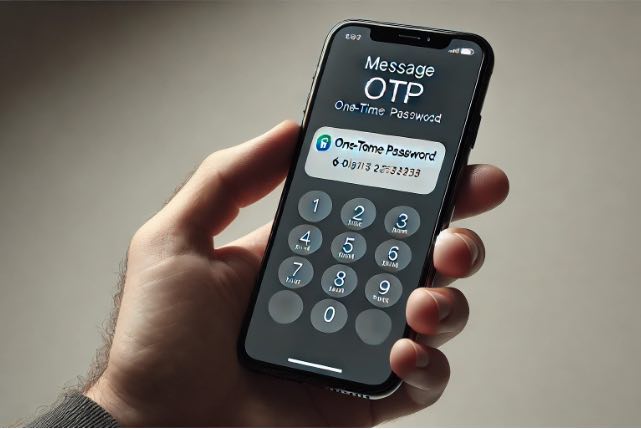
A Kaspersky article describes the rise of OTP bots: tools that call or message users and convince them to hand over one-time passwords. The attacker does not need to break the MFA system. They need the victim to read out a fresh code at the same moment the attacker is logging in.
The usual flow is simple. The attacker obtains a working username and password from a breach, phishing kit, or credential stuffing result. They attempt a login, which triggers an OTP. The victim receives a call or message claiming to be from the bank, retailer, courier, or support team. The story is urgent enough to make the code feel like part of protecting the account, not compromising it.
AI phone assistants such as Lucy are built for legitimate business use, but similar conversational technology lowers the effort required to run more convincing criminal call flows. The security issue is not that AI magically defeats MFA. It is that a fluent, responsive call can make social engineering less scripted and harder for a user to dismiss.
This is why "we have MFA" should not end the account protection conversation. MFA can stop many stolen-password logins, but it cannot reliably stop a user from being tricked in real time.
Residential Proxies Weaken the Surrounding Checks
Attackers also work to make the login itself look unremarkable. Residential proxies route traffic through IP addresses assigned to ordinary home or mobile internet connections. That lets malicious traffic borrow the appearance of normal customer traffic.
Traditional controls often lean too heavily on IP address, geolocation, and request volume. Residential proxy networks weaken all three. An attacker can rotate through many IPs, keep each source below a simple rate limit, and choose an exit location that roughly matches the victim's country or city. If the login looks local enough, the MFA challenge may be the only control left.
That is a poor place to put all the risk. A login with a correct password, a plausible IP address, and a successful OTP can still be an account takeover. The system needs to keep evaluating the request: device and browser signals, network fingerprint, known breached credentials, velocity across accounts, and behaviour after login.
Automation Happens Before and After MFA
MFA is usually visible at the point of login, but account takeover campaigns are broader than one prompt. Bots test credential pairs across login forms and APIs. Tools such as OpenBullet and similar automation frameworks can replay login flows at scale. Breached credential lists give attackers a cheap starting point because password reuse remains common.
Once an attacker gets through, the next actions matter. They may change the email address, add a device, disable notifications, alter delivery details, use stored payment methods, transfer value, or test what the account can access. If monitoring treats a successful MFA as the end of risk, those actions can happen inside a trusted session.
The defence needs to be layered around the actual attack path:
- Check credential risk before and during login, especially known breached username and password pairs.
- Use bot and browser signals to detect automation even when traffic is distributed.
- Rate limit on better keys than IP alone, such as TLS or HTTP/2 fingerprints, headers, routes, ASNs, countries, and account behaviour.
- Treat residential proxy evidence as a risk input, not just an allow-or-block label.
- Monitor session and account changes after MFA, then challenge, hold, revoke, or review when behaviour changes.
This does not mean every login needs more friction. It means the system should have more choices than "ask for MFA" or "allow". A low-risk login from a known device can keep moving. A login using breached credentials through proxy infrastructure can be slowed, challenged, or blocked before the user receives a confusing call. A successful login followed by high-risk account changes can trigger fresh verification or session invalidation.
Controls Around MFA
Peakhour's Advanced Rate Limiting helps reduce reliance on IP address by grouping and limiting requests using signals such as HTTP/2 and TLS fingerprints, ASNs, countries, request headers, and route context. That matters when credential stuffing is spread across residential proxies.
Peakhour's Bot Management adds another layer by looking for automation, browser inconsistency, suspicious device patterns, and residential proxy use. The aim is to identify the machinery behind the attack before it becomes a clean-looking login attempt.
Peakhour's Account Protection brings those signals closer to the account decision. Breached credential checks, bot evidence, rate limits, proxy context, custom rules, and monitoring should all feed the decision to allow, challenge, rate limit, block, log, or review.
User education still has a place, especially around OTP sharing and unexpected calls. It should not be the main control. Users are asked to make security decisions at bad moments, often under pressure, with limited context. Technical controls should reduce the number of times an attacker can create that moment.
MFA Still Belongs in the Stack
The point is not to remove MFA. Strong MFA, especially phishing-resistant methods, raises the cost of account takeover and should remain part of the stack. The mistake is treating MFA as proof that the account is safe.
Account protection works better when MFA is one decision point inside a wider system. The login attempt, credential history, network path, device, session, account changes, and transaction behaviour all carry evidence. MFA is useful evidence. It is not the whole case.